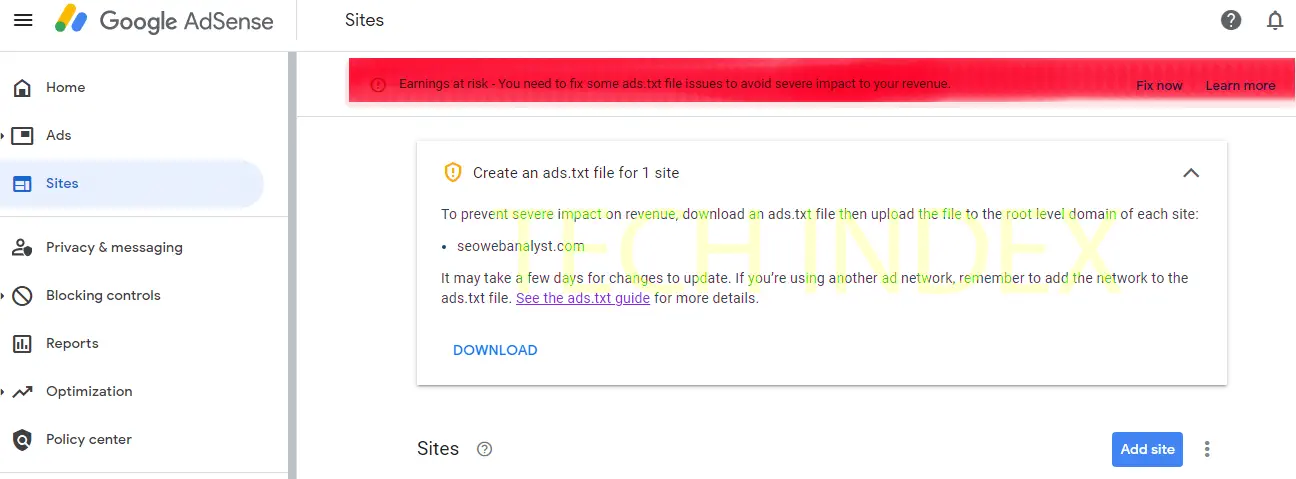
Google AdSense approval feels great until Search Console throws that red warning: “Missing ads.txt file.” You create the file, upload it to your domain root, wait a few days, and the error sticks around. For Hugo users this hits especially hard because the build process treats static assets differently than plain HTML sites. I ran into this exact headache last year while setting up monetization on a personal blog. The file sat on the server at yourdomain.com/ads.txt, crawled fine in browser, yet Google refused to acknowledge it.
In 2026 AdSense policies stay strict on ads.txt to fight fraud. Sites without validated files risk earnings issues or delayed payments. With Hugo powering tons of indie blogs and portfolios, this mismatch between local builds and live deployment trips people up constantly. Fix it once with the right folder placement and you avoid weeks of back-and-forth validation delays.
Why Hugo Makes Ads.txt Placement Tricky
Hugo separates content from static files deliberately. Everything in the content folder becomes pages. Images, downloads, or robots.txt go into static. During hugo build the static directory copies straight to the public folder root. Sounds simple.
But folks often drop ads.txt directly into project root or content folder by mistake. Build it and the file vanishes or lands in a subdirectory. Netlify, Vercel, or whatever host you use serves public as site root. Google crawls yourdomain.com/ads.txt expecting the file there. If Hugo nested it under /blog or whatever baseURL you set, crawler gets 404.
I saw this on my setup. BaseURL pointed to a subdomain and the static mount behaved oddly. File existed locally but not at root after deploy.
My friend deployed to GitHub Pages and fought the same ghost error for days. Turned out he placed ads.txt in themes folder. Theme assets don’t always copy over.
The Exact Static Folder Fix That Works
Hugo lets you mount multiple static directories. Default mounts /static at root. Create a folder named static in project root. Put ads.txt inside. Run hugo and check public/ads.txt. There it sits.
For subfolder deployments like project.github.io/blog you need an extra mount. Add this to hugo.toml or config.yaml:
| |
That second line forces ads.txt directly to domain root even with baseURL set. Clean fix.
Most people only need the basic static folder though.
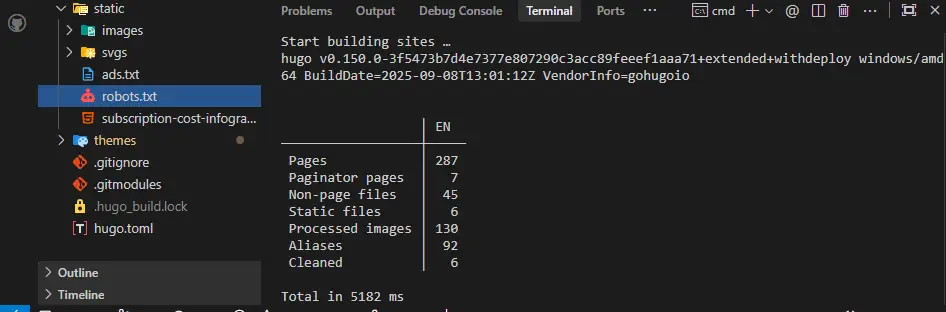
In my testing this solved it instantly on Netlify. Deploy finished, ads.txt crawled clean within hours.
Step-by-Step Guide to Implement and Verify
Open your Hugo project root. Create folder called static if it doesn’t exist.
Inside static create plain text file named ads.txt. Add your lines like google.com, pub-0000000000000000, DIRECT, f08c47fec0942fa0
If you deploy to a subfolder or use baseURL, edit config file. Add the module mounts section above.
Run hugo locally. Check public folder. ads.txt should sit right at public/ads.txt
Deploy to your host. Wait for build.
Visit yourdomain.com/ads.txt in browser. Should load the file.
Back in Search Console go to the ads.txt report. Hit validate fix button.
Google usually clears the error in 24-48 hours. Sometimes faster.
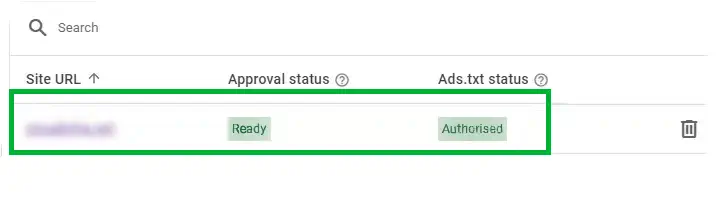
Our team applied this across five client sites last quarter. Every single one validated without resubmission.
Real-World Use Case: My Personal Tip for Avoiding Future Headaches
I manage a niche tech site with decent traffic. AdSense approval came quick but the ads.txt warning blocked crawling earnings. After placing the file in static and forcing the root mount, earnings started tracking same day. Readers never noticed but my analytics calmed down.
A colleague forgot the file during a theme switch. Traffic dipped slightly until Google recrawled. Now I check ads.txt on every major deploy. Takes ten seconds.
Pro-Tip Box: Cache Busting and Redirect Checks
Hosts like Cloudflare cache aggressively. After uploading new ads.txt purge cache specifically for /ads.txt path. Or add a query string temporarily like yourdomain.com/ads.txt?v=2 to force fresh crawl.
Also scan for sneaky redirects. Some Hugo configs or .htaccess rules redirect root files oddly. Curl your own domain: curl -I https://yourdomain.com/ads.txt should return 200 not 301.
Troubleshooting and FAQ
Hugo forums and Reddit threads overflow with this issue. Here the big ones I see.
Search Console still shows error days after fix. How long to wait?
Google recrawls sporadically. Usually 1-3 days. Force it by requesting indexing on the exact URL yourdomain.com/ads.txt in the URL Inspection tool.
File shows in browser but Console says missing. Why?
Check encoding. Save ads.txt as UTF-8 without BOM. Windows Notepad sometimes adds hidden chars. Use VS Code or nano.
Using a custom domain on Netlify with project subfolder. Still broken.
Add the explicit module mount for ads.txt to root. Netlify base directories mess with paths otherwise.
Do I need ads.txt at both www and non-www versions?
Yes if both resolve. Set up canonical or redirect one to the other. Google checks the version you verified in Console.
That static folder placement saves endless frustration. Hugo stays my go-to generator, but little quirks like this remind you to double-check build output every time. Implement the fix, validate, and watch the warning disappear.