
TL;DR
GitHub Pages lets you host a static website for free, directly from a GitHub repository. Push your files, enable Pages in your repo settings, and your site is live at yourusername.github.io. If your site has a build step (React, Hugo, Astro, etc.), a GitHub Actions workflow handles the build and deployment automatically. Custom domains and HTTPS are both supported at no extra cost.
What Is GitHub Pages?
GitHub Pages is a static site hosting service built into GitHub. It reads files from a branch or a GitHub Actions workflow output and serves them at a public URL.
Every GitHub account gets one free user site at yourusername.github.io, plus unlimited project sites at yourusername.github.io/repo-name.
What it supports:
- Plain HTML, CSS, and JavaScript
- Jekyll (built natively, no workflow needed)
- Any framework that outputs static files via a build step
What it does not support:
- Server-side code (no PHP, Python, Node.js at runtime)
- Databases
- Dynamic rendering at request time
If your site is fully static, GitHub Pages covers everything you need.
Tested On
| Tool | Version |
|---|---|
| Git | 2.43+ |
| Node.js (for JS frameworks) | 18, 20 |
| Hugo | 0.124+ |
| GitHub Actions runner | ubuntu-latest |
Before You Start
Make sure you have:
- A free GitHub account
- Git installed on your machine
- Your site files ready locally
If your project uses a framework, you should be able to run a build command locally (like npm run build or hugo) and get a folder of static output. That output folder is what gets deployed.
Method 1: Deploy from a Branch (Plain HTML or Jekyll)
This is the fastest path. No build tools, no workflow files. You push your files and GitHub serves them directly.
Step 1: Create a Repository
Go to github.com/new.
- User site: Name the repo exactly
yourusername.github.io. It will be served at the root URL. - Project site: Use any name. It will be served at
yourusername.github.io/repo-name.
Set visibility to Public on the free plan. Private repo Pages hosting requires a paid plan.
Step 2: Push Your Files
Clone the repo and add your site:
| |
Add an index.html at the root. Here is a minimal working example:
| |
Commit and push:
| |
Step 3: Enable GitHub Pages
- Go to your repository on GitHub
- Click Settings then Pages in the left sidebar
- Under Build and deployment, select Deploy from a branch
- Choose your branch (
main) and folder (/ (root)or/docs) - Click Save
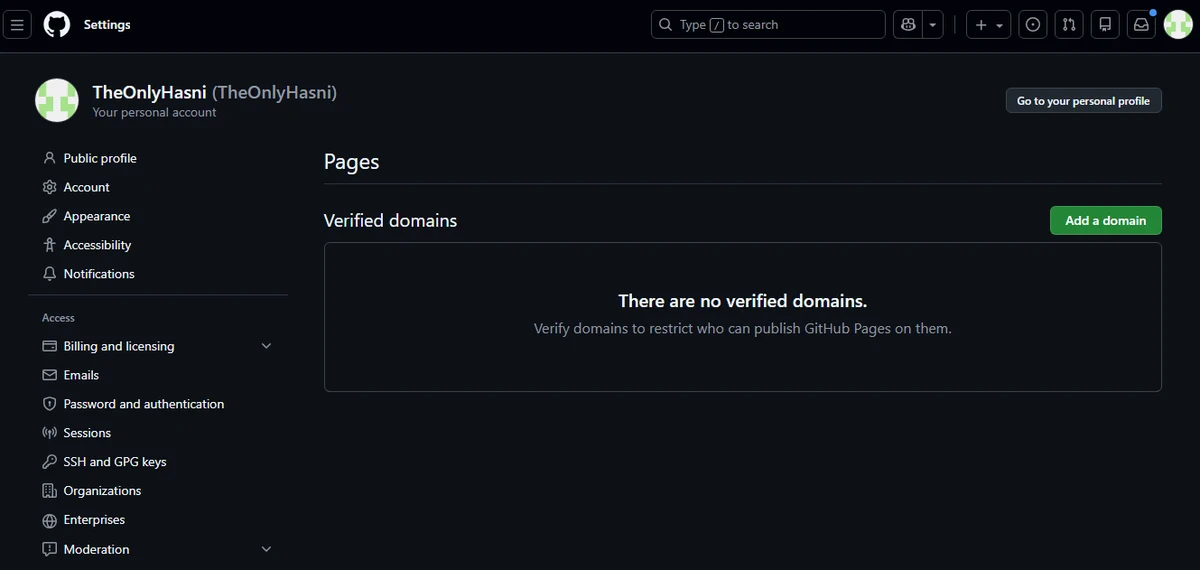
Your site will be live within a minute or two at the URL shown at the top of the Pages settings panel.
Method 2: Deploy with GitHub Actions (Frameworks with a Build Step)
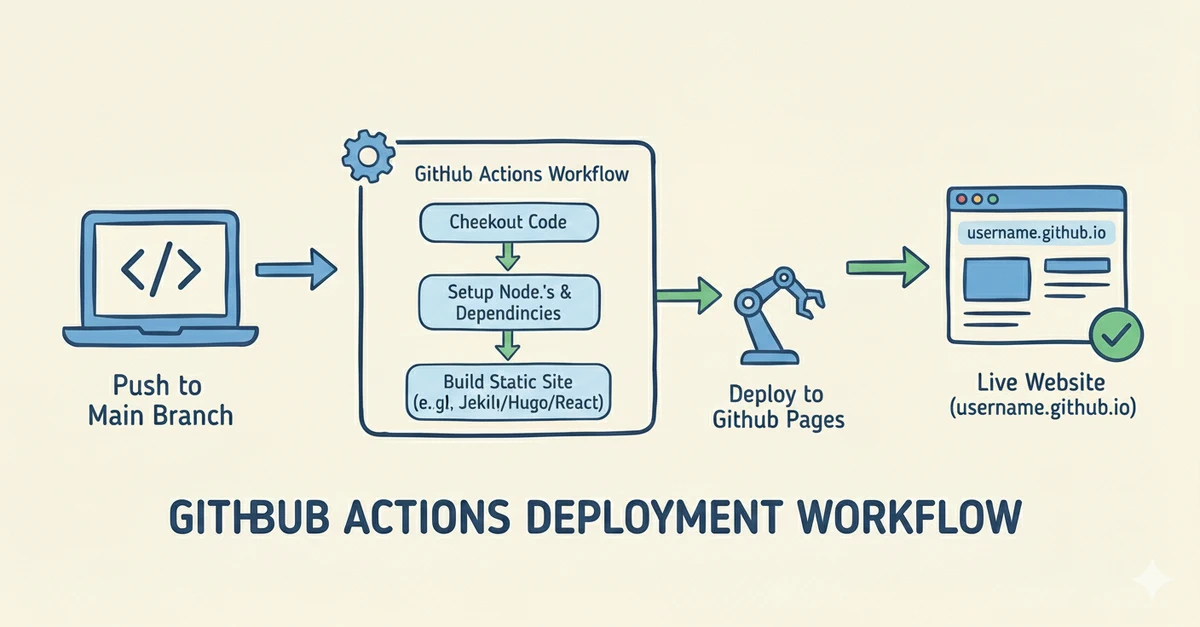
If your site needs to be compiled before it can be served, branch deployment will not work on its own. You need a workflow that runs the build and hands the output to GitHub Pages.
This applies to Hugo, React, Vite, Astro, Next.js static export, and any other framework with an npm run build or equivalent command.
Step 1: Set the Publishing Source to GitHub Actions
- Go to Settings then Pages
- Under Build and deployment, set the source to GitHub Actions
Step 2: Add a Workflow File
Create the workflows directory:
| |
Then add a workflow file. Use the example below that matches your setup.
Hugo:
| |
React or Vite:
| |
Vite note: For project sites (not root user sites), add
base: '/your-repo-name/'tovite.config.js. Without it, assets will 404.
| |
Step 3: Push the Workflow and Watch It Run
| |
GitHub detects the file and triggers the workflow immediately. Open the Actions tab to watch it run in real time.
Which Method Should You Use?
| Site type | Method |
|---|---|
| Plain HTML / CSS / JS | Method 1 |
| Jekyll | Method 1 (GitHub builds it natively) |
| Hugo | Method 2 |
| React / Vite | Method 2 |
| Astro | Method 2 |
| Next.js (static export) | Method 2 |
Anything with npm run build | Method 2 |
Short version: if you run a build command before opening the site in a browser, use Method 2.
Setting Up a Custom Domain
GitHub Pages supports custom domains for free. You need to own the domain and have access to its DNS settings.
Add the Domain in GitHub
- Go to Settings then Pages
- Under Custom domain, enter your domain (e.g.,
www.yourdomain.com) and click Save
This creates a CNAME file at the root of your repo. If it does not appear automatically, create it manually with no file extension:
www.yourdomain.com
Configure DNS
For a www subdomain, add a CNAME record at your registrar:
| Type | Name | Value |
|---|---|---|
CNAME | www | yourusername.github.io |
For an apex domain (no www), add four A records:
| Type | Name | Value |
|---|---|---|
A | @ | 185.199.108.153 |
A | @ | 185.199.109.153 |
A | @ | 185.199.110.153 |
A | @ | 185.199.111.153 |
DNS changes usually propagate within an hour. Once they do, return to Settings then Pages and check Enforce HTTPS to activate your free SSL certificate via Let’s Encrypt.
Troubleshooting
Site Not Showing Up
- Wait up to 10 minutes. First deploys are occasionally slow.
- Make sure there is an
index.htmlorindex.mdat the root of your publishing source. A repo with only aREADME.mdwill not render a site. - Confirm Pages is enabled in Settings then Pages and the correct branch or source is selected.
404 on Assets (CSS, JS, Images Not Loading)
This almost always comes down to base paths on project sites. Your site lives at /repo-name/, not /, so root-relative paths like /style.css will break.
Fix for Vite and React:
| |
Fix for Hugo:
| |
For plain HTML, use relative paths (./style.css, ./images/photo.jpg) instead of root-relative ones (/style.css).
GitHub Actions Workflow Failing
Open the Actions tab and click the failed run to see the full log. Common causes:
- Wrong output folder in
upload-pages-artifact. Check it matches your actual build output (dist,public,out,_site, etc.) - Missing permissions block in the workflow YAML. The
pages: writeandid-token: writepermissions are required. - Submodules not fetched for Hugo themes. Add
submodules: recursiveto the checkout step. - Node version mismatch. Pin the version explicitly:
node-version: '18'rather than relying on a default.
Pushed Changes Not Appearing
- Check that you pushed to the branch configured in Pages settings.
- For Actions workflows, check the Actions tab to confirm the workflow ran after your push.
- Hard refresh your browser:
Ctrl+Shift+Ron Windows and Linux,Cmd+Shift+Ron macOS.
Updating Your Site After the Initial Deploy
After setup, updating is just a normal Git push:
| |
Branch deployments are usually live within one to two minutes. Actions workflows vary with build time but finish within two to five minutes for most sites. Every deploy is logged in the Actions tab, so you can inspect any run or roll back if something breaks.
If you work with a team, a common pattern is to keep a staging or develop branch for work in progress and only merge to main when the content is ready to publish. Your Pages workflow only triggers on the branch you configured.
Limits and When to Look Elsewhere
| Limit | Value |
|---|---|
| Storage per repo | 1 GB |
| Monthly bandwidth | 100 GB soft limit |
| Build time per deploy | 10 minutes max |
| User or org sites per account | 1 (unlimited project sites) |
| Server-side code | Not supported |
| Private repo Pages | Requires paid GitHub plan |
For most personal projects, portfolios, and documentation sites these limits are never an issue. If they are, here are the most common alternatives:
- Cloudflare Pages for high-traffic sites with generous bandwidth and build limits
- Netlify for teams that want forms, edge functions, and split testing built in
- Vercel for Next.js and React projects that need a tighter, framework-native deployment pipeline
Frequently Asked Questions
Is GitHub Pages actually free? Yes, for public repositories on any GitHub plan including the free tier. Private repositories with Pages enabled require a paid plan (Pro, Team, or Enterprise).
Can I host more than one site?
You get one user or organization site at username.github.io. You can host as many project sites as you have repositories, each at username.github.io/repo-name.
Does GitHub Pages work with private repositories? Yes, but only on paid GitHub plans. On the free plan, your repository must be public.
Can I run PHP, Python, or connect to a database? No. GitHub Pages is a static host only. Everything must be pre-built into static files before deployment. For anything dynamic, you need a different hosting solution.
How long does deployment take? Branch deployments go live in one to two minutes. Actions workflows typically finish within two to five minutes for average-sized sites.
What happens if I go over the bandwidth limit? The 100 GB/month figure is a soft limit, not a hard cutoff. GitHub may throttle traffic if a site consistently exceeds it. For high-traffic sites, Cloudflare Pages is a better fit.
Do I need to use Jekyll? No. Jekyll support is built in and optional. You can deploy a plain HTML site and never use Jekyll at all.